
Changelog
A redesigned dashboard
Every page of the dashboard has a new design. The home page shows your plan and usage at a glance with your API key next to a ready-to-run request, and Billing is now a single page.
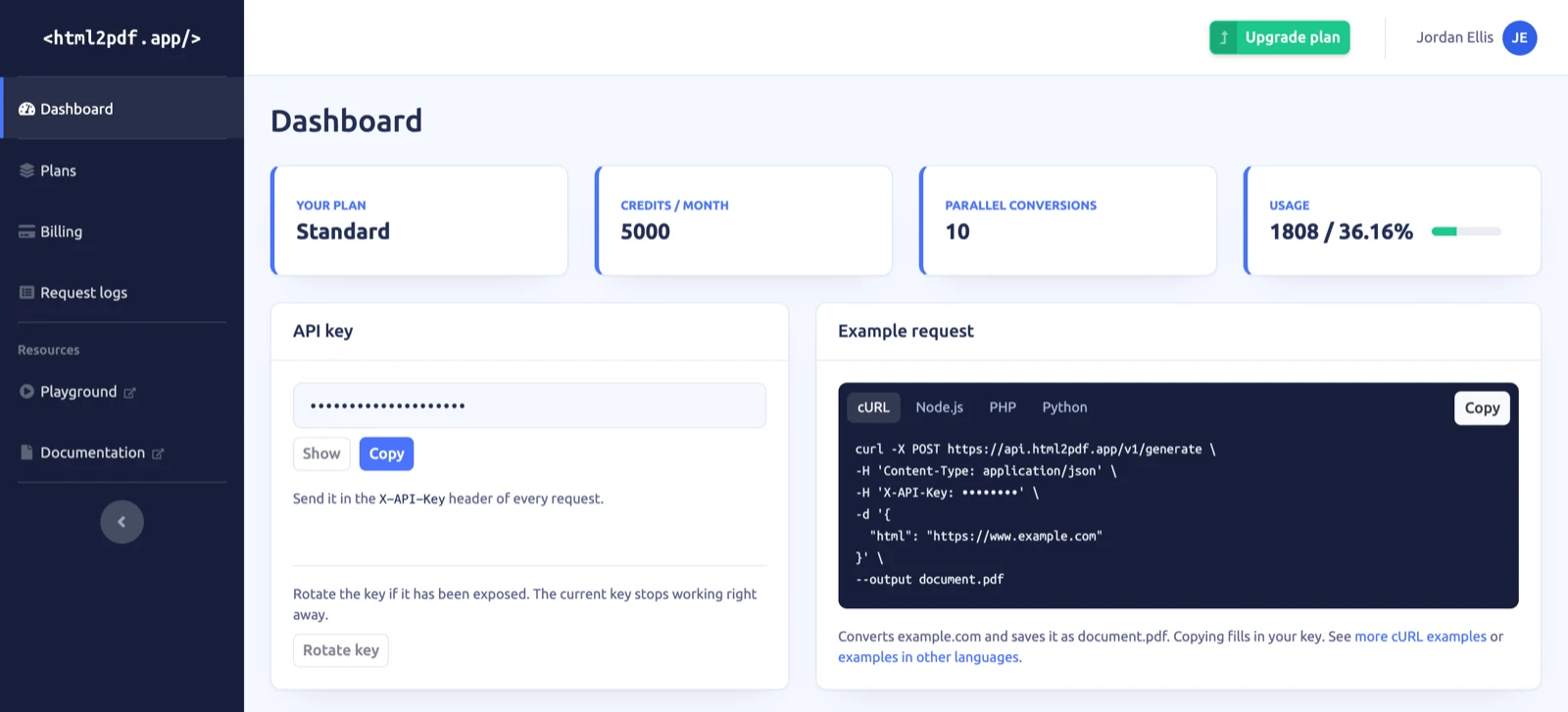
The home page now answers the questions you open the dashboard for:
- Plan and usage — your plan, credits per month, parallel conversions and this month's usage sit at the top. The usage bar is green, turns amber once you have used half of your credits and red from 85%.
- API key — the key stays hidden until you choose Show, and Copy works without revealing it. Rotate key is in the same card.
- Example request — a request you can copy and run in cURL, Node.js, PHP or Python. Copying fills in your API key. From there, links lead to more examples for that language in the code examples.
- Requests — statistics for the last 30 days and your most recent failed requests.
Plans and billing are easier to reach and to read:
- Plans has its own link in the sidebar.
- Billing is one page instead of four tabs. It shows your current plan with its renewal date and amount, your payment method, your billing details and your invoices, each with its own actions.
- Checkout shows an order summary with any VAT and the total before you pay. After the payment, the page tells you when your new plan is active.
The menu in the top right corner shows your name, or your email if your billing details have no name yet. It links to Billing, to Change password, which emails you a reset link, and to Contact support.
The Logs page has changed the most: see Request logs with filters, date ranges and live mode.